✦ Native macOS · Now on the App Store
Markdown editing, finally done right.
Edit Gnome is a native macOS markdown editor that knows when to get out of your way. Write, preview, and export — no cloud, no clutter, no nonsense.

Edit Gnome is a native macOS markdown editor that knows when to get out of your way. Write, preview, and export — no cloud, no clutter, no nonsense.
Edit Gnome is built for writers who know what they're doing. Every feature earned its place.
Write mode keeps you in flow. Preview shows your rendered markdown. Split gives you both, side by side. Switch any time from the toolbar or View menu.
One-click inserts for headings, bold, italic, links, code, bullet lists, checklists, block quotes, images, and tables — right at the caret, every time.
A dedicated Table menu handles insert, add/delete rows and columns, normalize, and alignment. Auto-format keeps your tables tidy automatically.
Click the toolbar, drag from Finder, or paste from clipboard. Edit Gnome handles the rest — and stores images in a managed assets folder beside your doc.
Standard macOS shortcuts that actually work. Cmd-F, Option-Cmd-F, Cmd-G — no reinventing the wheel. Just the wheel, turning perfectly.
Export with configurable page size and margins. Clean output every time — whether you're sharing, printing, or putting it on the internet.
Switch your view to match your mood. Edit Gnome adapts to how you work — not the other way around.
Just the editor. No distractions, no preview panel, no nonsense. Pure writing mode for getting words down fast. The gnome stays out of your way.
Editor on the left, live preview on the right. Watch your markdown render in real time as you type. The best of both worlds.
Rendered output only. Step back and read your document the way others will see it. Clean, beautiful, and properly formatted.
A picture is worth a thousand words. And in Edit Gnome, a thousand words looks pretty great too.
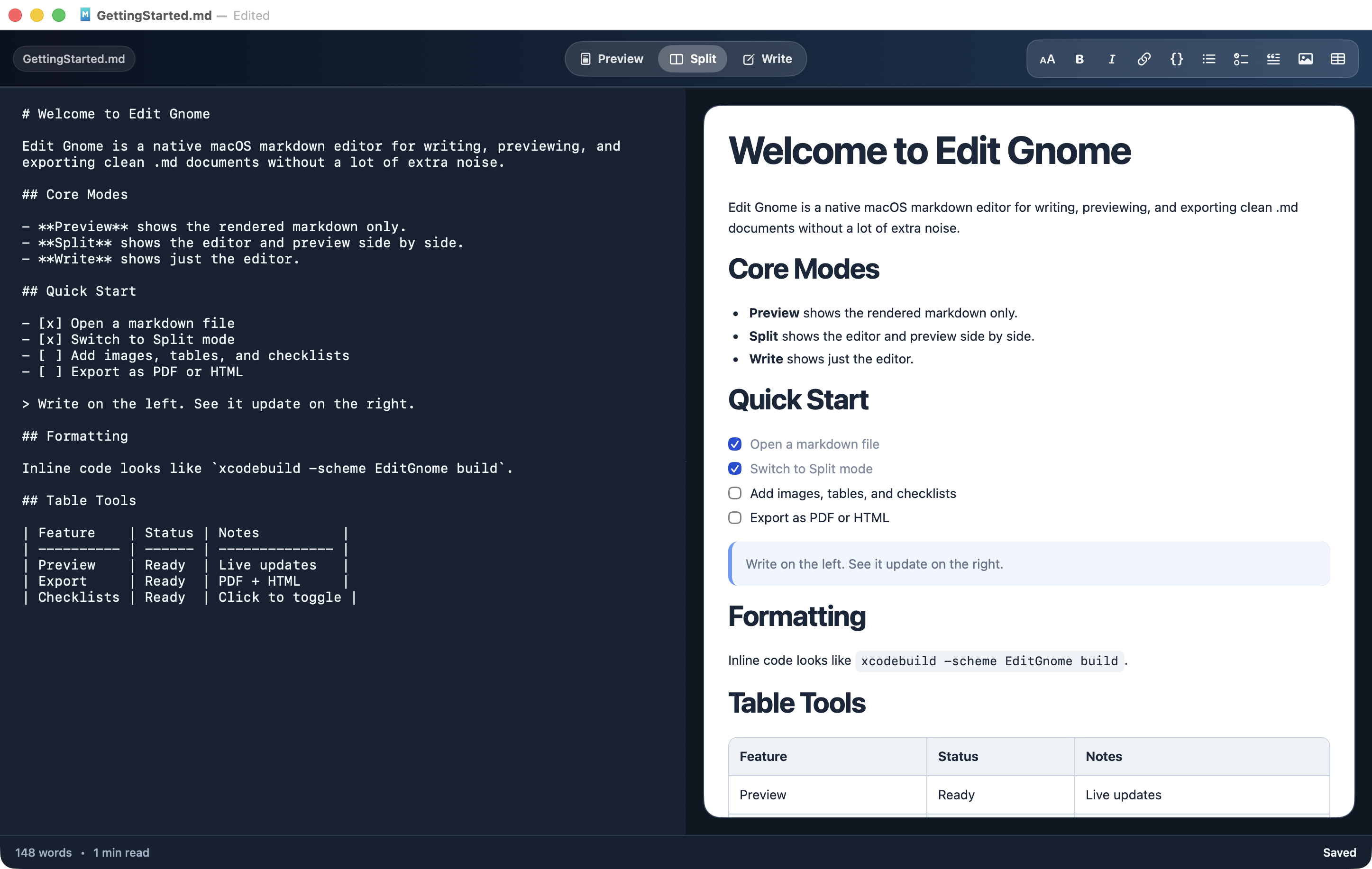
Split mode — write your markdown on the left, watch it render live on the right.
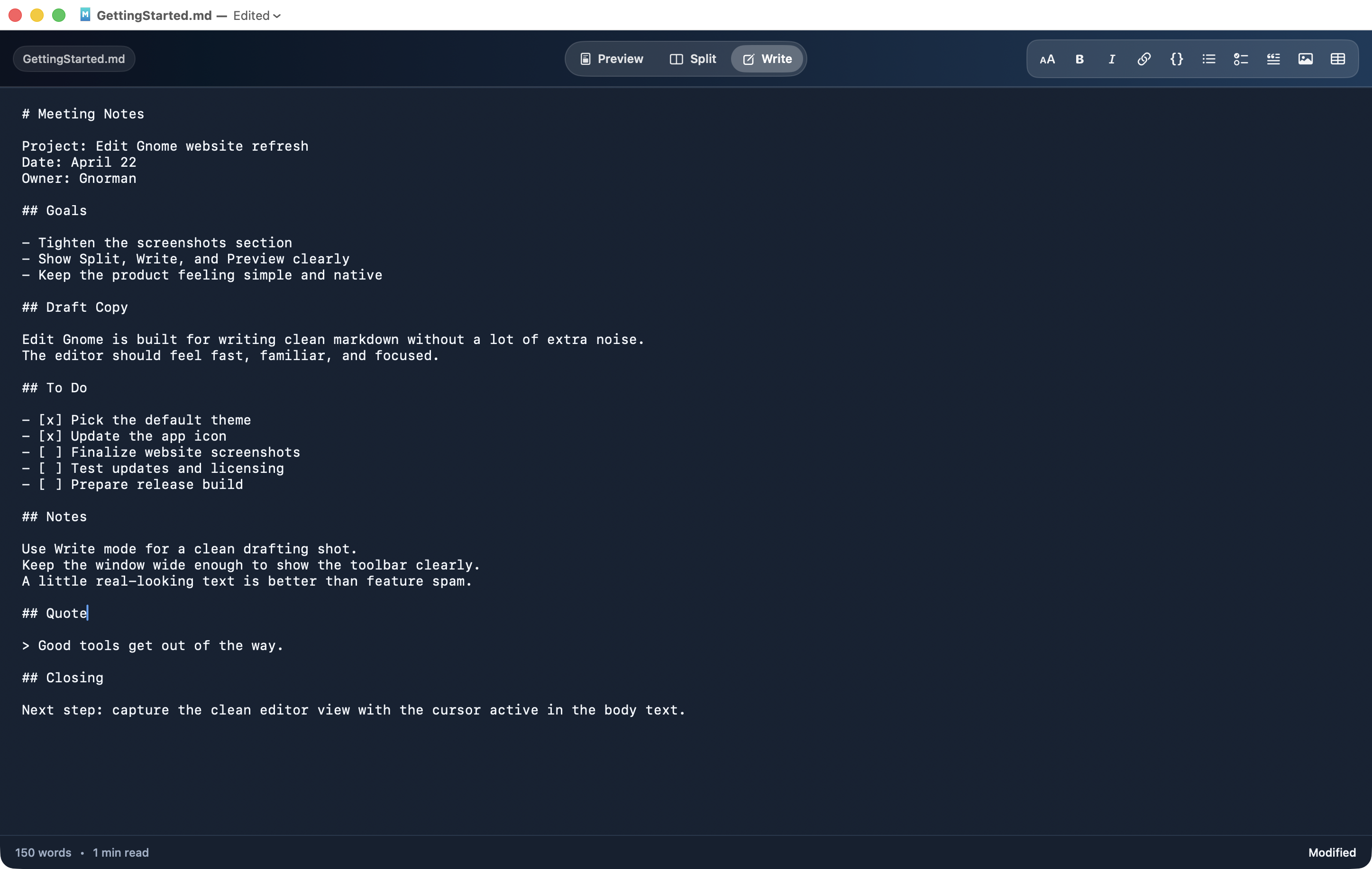
Write mode — just you and the editor. No preview, no noise.
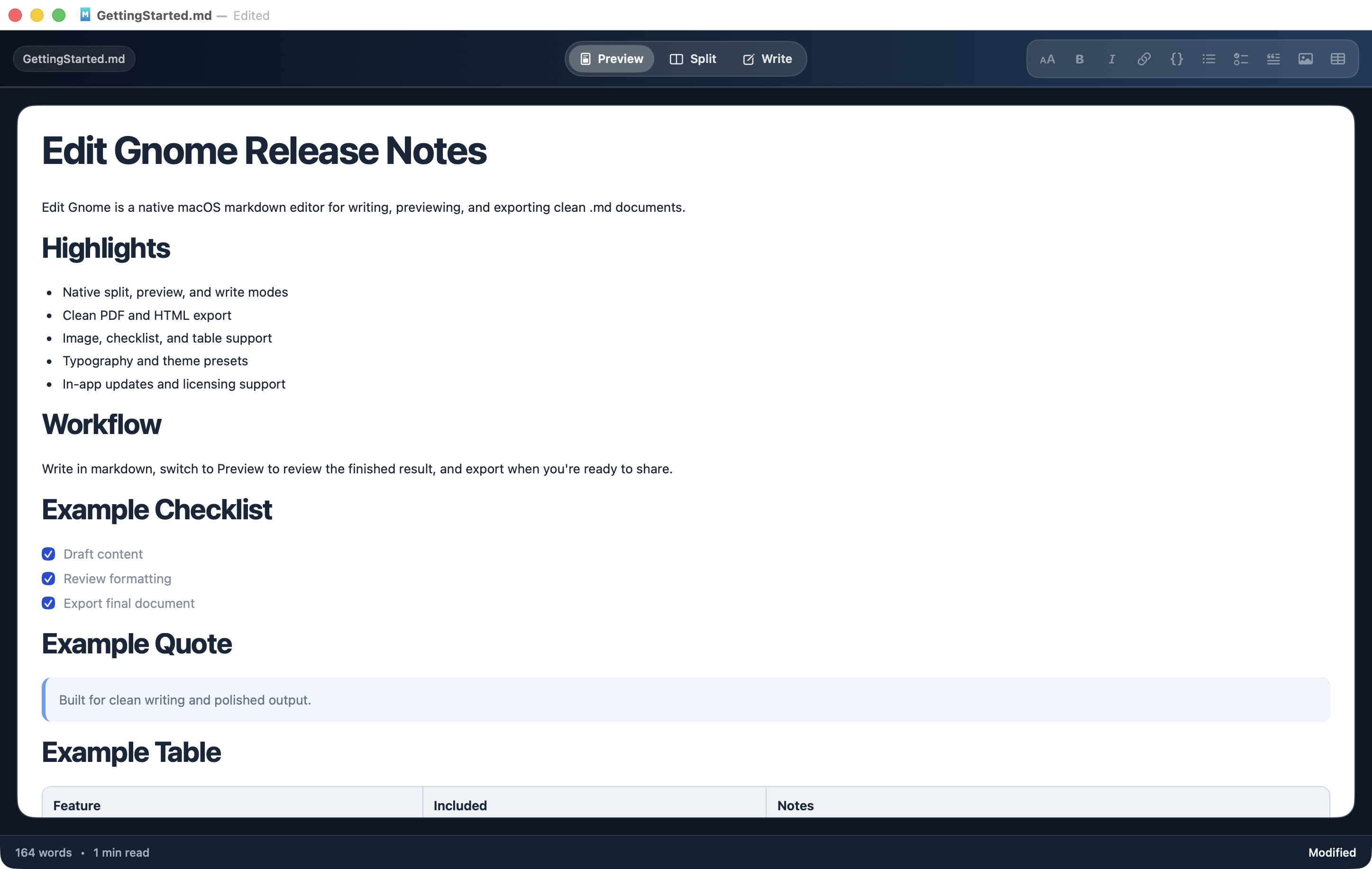
Preview mode — your rendered document, clean and ready to share.
No monthly fees. No tiers. No nonsense. Buy it once, own it forever.
One-time purchase. Includes all future updates. Available now on the Mac App Store.

macOS 13 Ventura or later · Mac App Store
He's short. His opinions are not.

A markdown editor that needs the internet to work is not a markdown editor. It is a hostage situation.
If your text editor has a billing tab, something has gone very wrong for everyone involved.
The best preview pane shows up when you need it and disappears when you don't. Like a well-trained gnome.
Tables are hard. That is why I built an entire menu for them. I am not ashamed.
Drag the image in. It goes in. This is the correct behavior. I do not understand why other applications make this difficult.
A one-time purchase means I trust you. A subscription means I don't. I trust you.